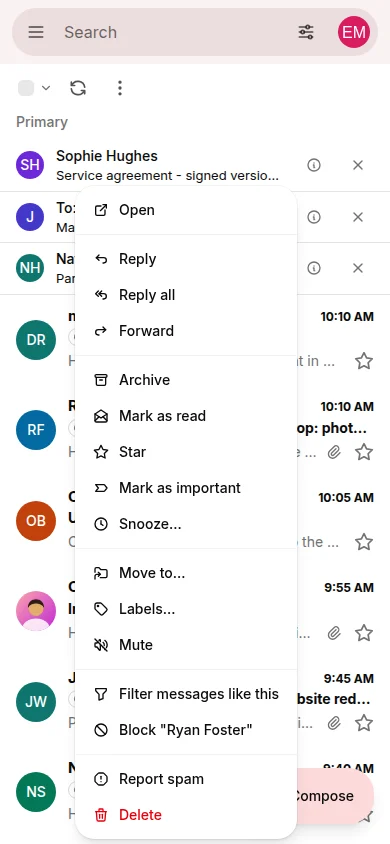
Almost everything in a list has a context menu: right-click with the mouse, long press on a touch screen. It offers the same actions as the buttons, without having to open the item.
On a conversation
Open; reply, reply all, forward; archive (or move back to the inbox); mark as read or unread; star; mark as important; Snooze… (later today, tomorrow, this weekend, next week or a date); Move to… and Labels… (searchable lists); mute the conversation; Filter messages like this; Block the sender; report spam; delete.
If the row is part of a selection, the action applies to all the selected conversations. The menu adapts to where you are: "Restore" in the trash, "Report not spam" in spam, permanent deletion in both; no labels or snooze in a shared mailbox.
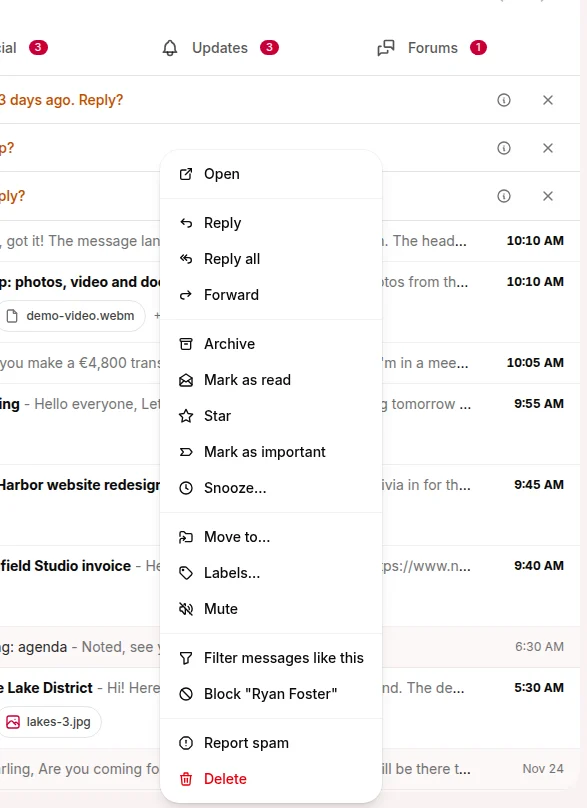
On a phone, a long press opens the same menu; lifting your finger chooses nothing, then tap the action you want.
Elsewhere
| On… | Actions |
|---|---|
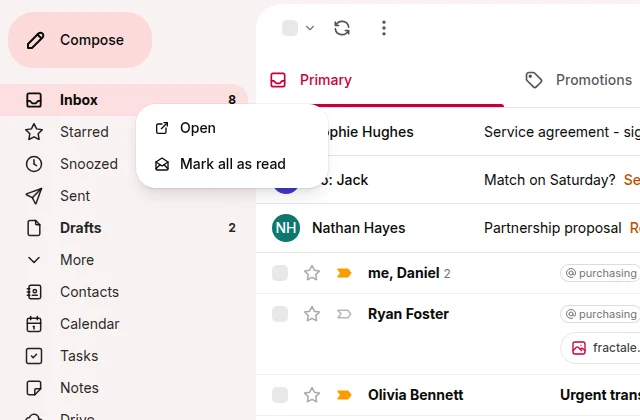
| a folder, a category in the sidebar | open, Mark all as read; Empty trash, Empty Spam (with confirmation) |
| a label | the same, plus edit (name, colour), create a nested label, manage labels |
| an attachment | preview, download |
| a contact | open, edit, write, labels, export, delete (selection respected) |
| a calendar event | open, edit, respond to the invitation, delete (this event or the whole series) |
| a task, a note | the actions of its "⋯" menu |
| an active session, a filter, a blocked address, an API key | the actions of their row |
Keyboard shortcuts
They are on by default (Settings › General › Keyboard shortcuts); ? shows the list.
| Key | Action |
|---|---|
c | new message |
/ | search |
j / k | older / newer conversation |
o or Enter | open |
u | back to the list |
x | select |
e | archive |
# | delete |
! | spam |
s | star |
r / a / f | reply / reply all / forward |
Shift + i / Shift + u | mark as read / unread |
Ctrl + Enter | send (when composing) |
g then i, s, t, d | go to the inbox, starred, sent, drafts |
g then k | open tasks |
Shift + t | add the open conversation to tasks |
Alt + 1 to 4 | open the side panel's calendar, tasks, contacts or notes |