Two pages of the Domains and deliverability group make sure your messages arrive: IPs and reputation (where mail leaves from) and Suppression list (who it no longer goes to). Good practice is covered in Deliverability.
IPs and reputation
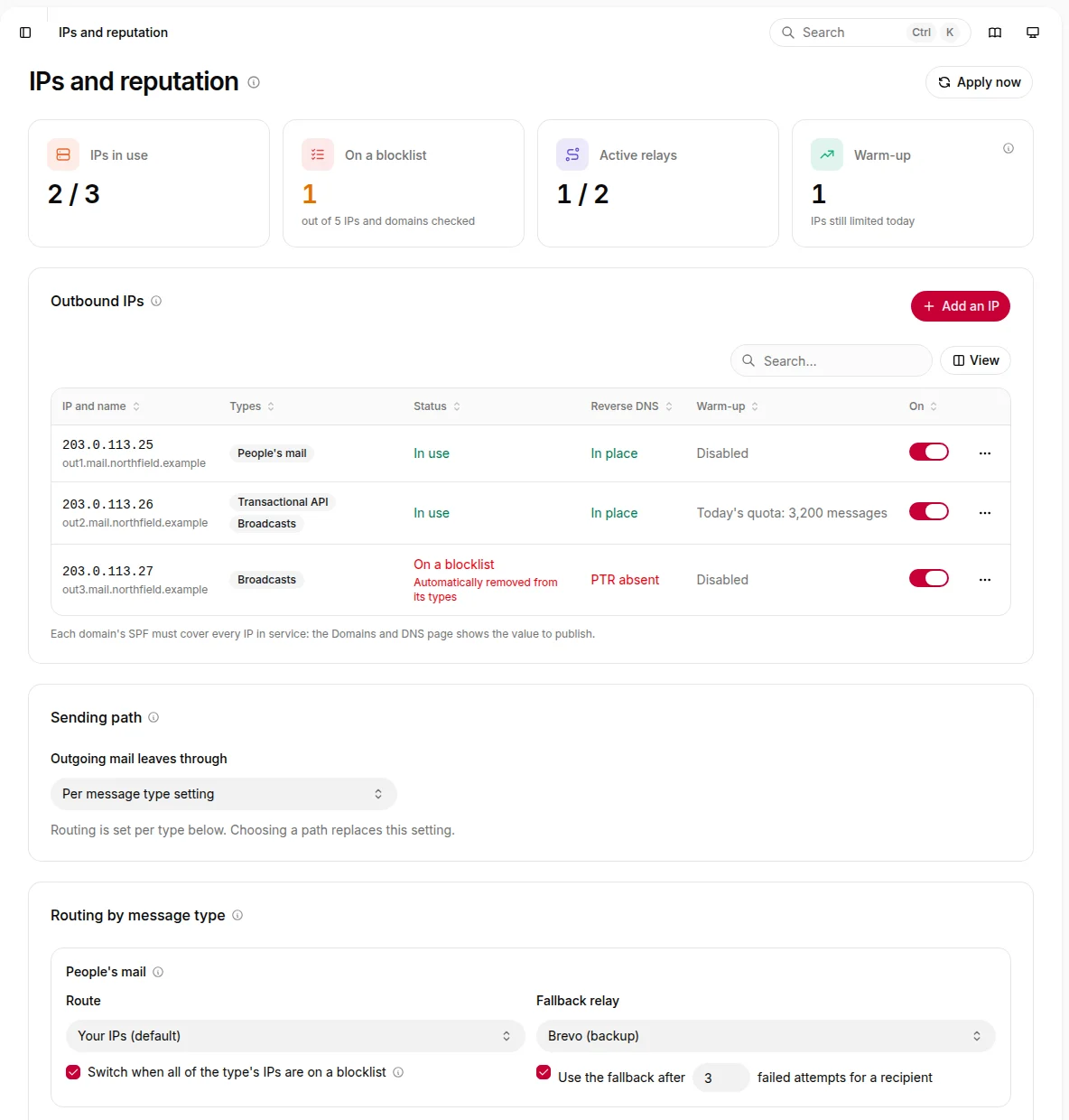
At the top, four tiles: IPs in use, On a blocklist, Active relays, Warm-up (IPs still limited today). Then four cards:
- Outbound IPs: each address, its traffic types (People's mail, Mail of paying accounts, Transactional API, Broadcasts), its state, its reverse DNS, its warm-up (today's quota) and an On switch. Add an IP; ⋯ menu: Edit, Check DNS, Remove. Each domain's SPF must cover every IP in use: the Domains and DNS page shows the value to publish.
- Routing by message type: for each type, the Route (Your IPs (default) or a relay) and a Fallback relay; Switch when all of the type's IPs are on a blocklist, use the fallback after N failed attempts for a recipient, and Automatically remove a listed IP from its types. Save routing. Apply now, at the top of the page, copies the configuration to the mail server right away.
- External relays: Amazon SES, Postmark, Mailgun or generic SMTP, as a fallback or for some types; Test connection, return webhook address to copy.
- Blocklists: each IP and domain checked, the list that names them and a Request removal link.
Detailed settings: Multiple outbound IPs and External relays and routing by type. These settings apply to the whole instance; an organization can have its own IPs or relay (Organizations).
Suppression list
Domains and deliverability › Suppression list lists the addresses Voaaro no longer sends anything to from the API and broadcasts: after a hard bounce (the address does not exist), a complaint (the recipient marked the message as spam) or a manual addition.
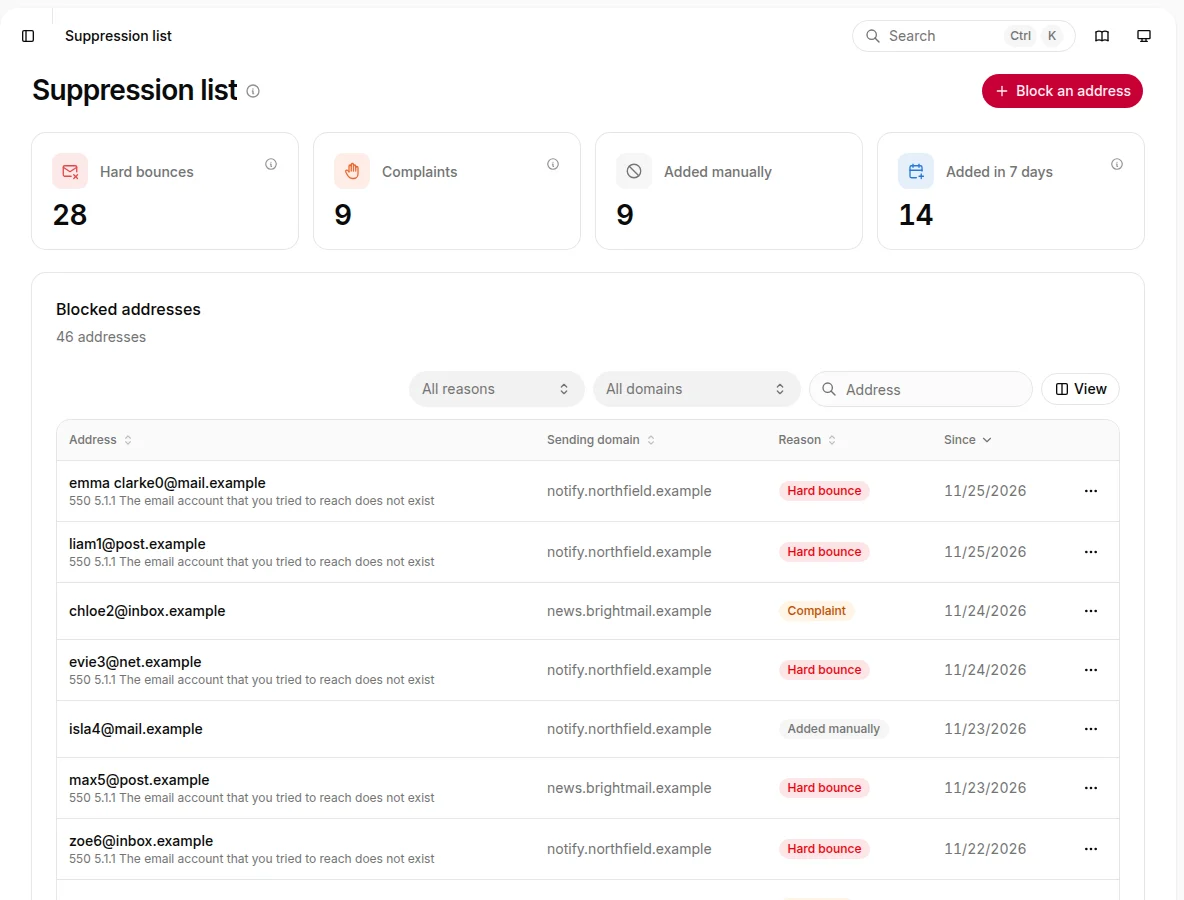
- The Hard bounces, Complaints, Added manually and Added in 7 days tiles filter the list with one click.
- All reasons and All domains filters, search by address. Under the address, the remote server's answer ("550 5.1.1 … does not exist").
- Block an address adds one by hand.
- ⋯ menu or right-click: View message that caused the block, Copy address, Remove… (only if you know the address works again: sending to an address that bounces or complains damages the domain's reputation).
The list can also be read and changed through the suppressions API.