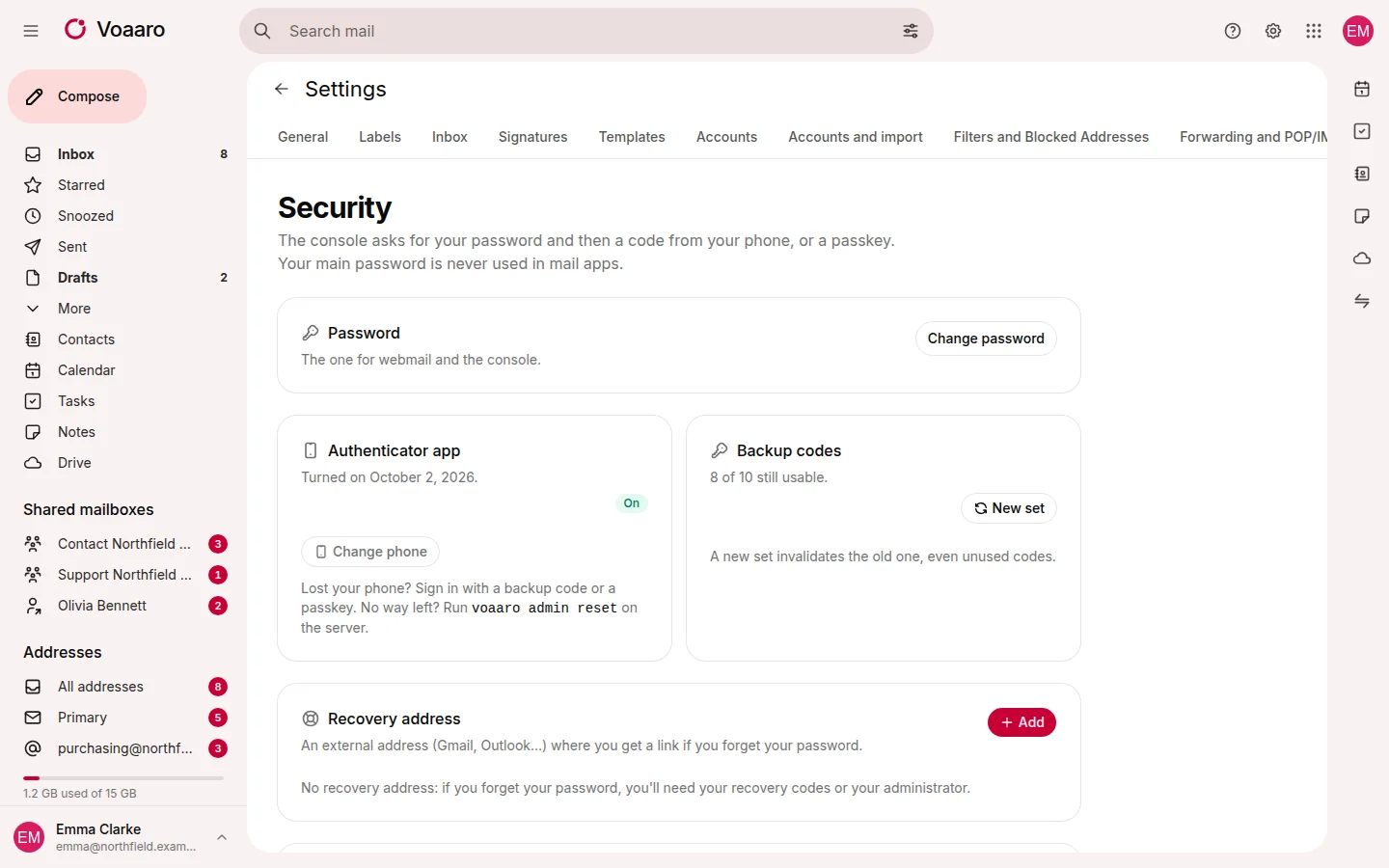
Settings › Security holds 2-Step Verification, passkeys, the recovery address and your active sessions.
2-Step Verification
With 2-Step Verification, signing in asks for your password, then a six-digit code from your authenticator app (or a passkey): a stolen password is no longer enough. Your administrator can require it for everyone.
- Turn on: scan the QR code with your app (Aegis, 2FAS, Google Authenticator, 1Password…), then enter the code shown.
- Change phone: pair the new phone again.
- Backup codes: ten single-use codes, to keep away from your phone; each one replaces the app's code once. New set invalidates the old one.
Lost your phone: sign in with a backup code or a passkey. No way left: an administrator can reset your 2-Step Verification.
Passkeys
Passkeys › Add: sign in with one gesture using Face ID, Touch ID, Windows Hello or a security key, with no password or code. They can be set up once 2-Step Verification is on. Each key has its name, the date it was added and its last sign-in; Delete removes it.
Forgot password
Add a recovery address (Gmail, Outlook…): if you forget your password, the "Forgot password?" link on the sign-in page sends a link there to choose a new one. Without a recovery address, you will need your backup codes or your administrator.
Your main password is never used in mail apps (iPhone, Thunderbird): each one uses an app password.
Active sessions
The list shows each signed-in device: browser and system, approximate location and IP address, last activity, "Remember me" and "This device". Sign out closes a session; Sign out all others keeps only the one you are on. The list is paginated (10 per page); right-clicking a row gives the same actions.
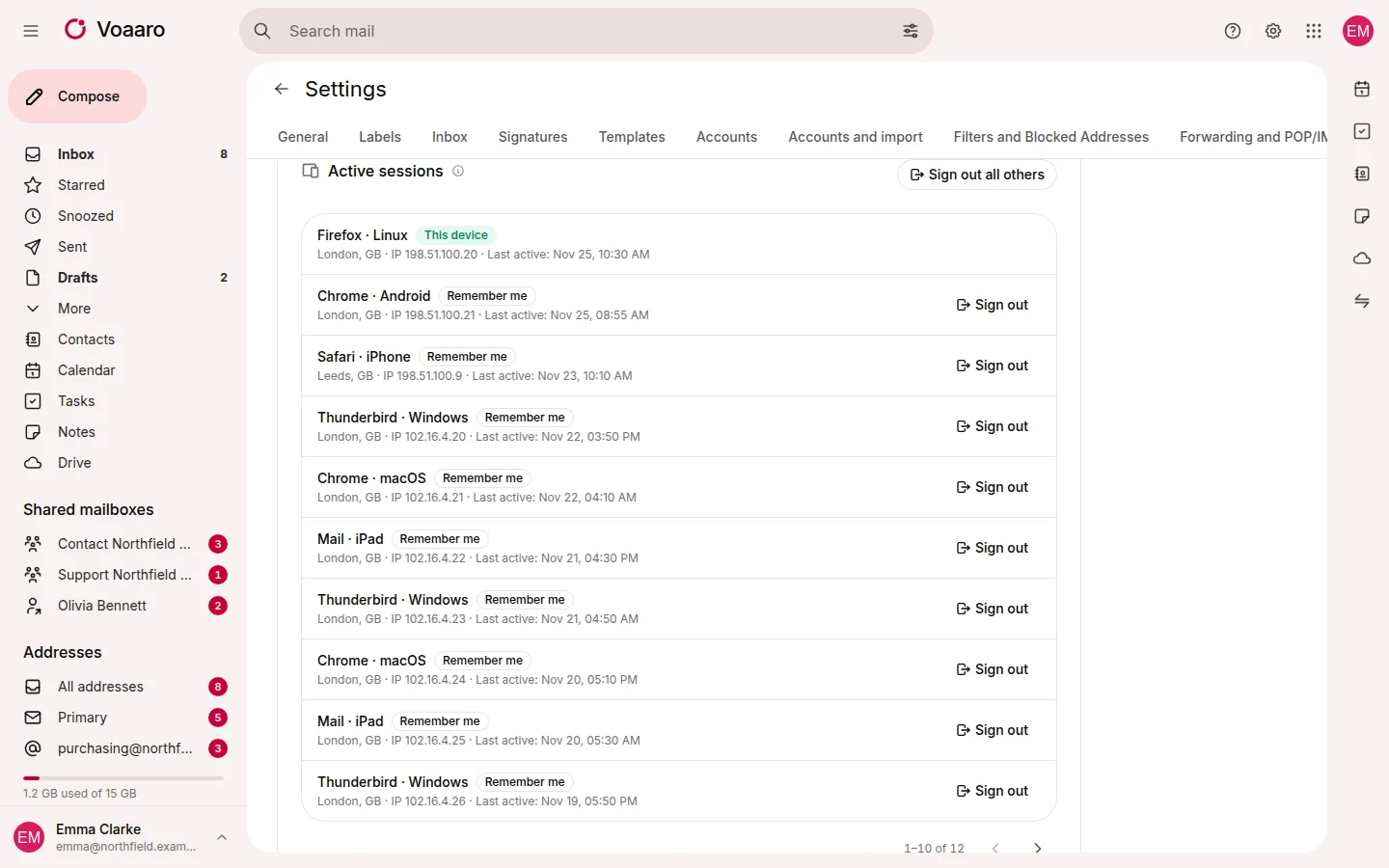
An unknown session? Sign it out, change your password (with "Forgot password?" on the sign-in page, or by asking your administrator) and check your app passwords.
Encryption
The same tab holds end-to-end PGP encryption and encryption at rest.