Developers (API), in the account menu (or the last tab of Settings), gives each user their own API: send emails from your own address with a script, a phone shortcut or a tool, and connect an AI assistant to your mailbox. For an organisation's application API (application keys, sending domains), see the API.
The space exists if the administrator has enabled personal API keys (and if your plan includes them, on a public service).
API keys
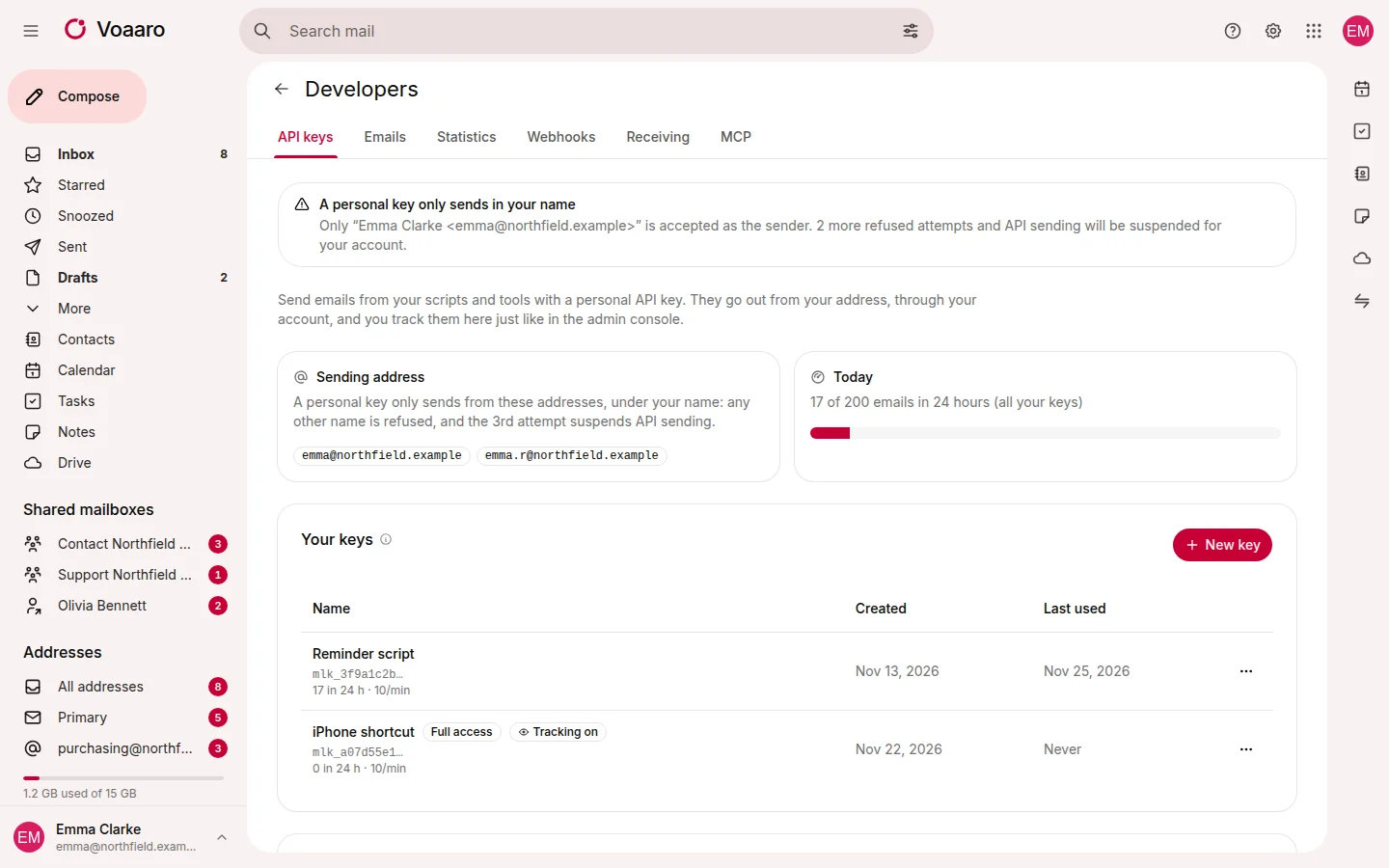
- Sending address: a personal key sends only from your addresses (main and aliases), under your name. Any other sender is refused; on the third refused attempt, API sending is suspended for your account (a banner warns you from the first one).
- Today: your sends over the last 24 hours against the limit, all keys combined.
- New key: a name, then the
mlk_…key, shown only once. A key's "⋯" menu: Open and click tracking (with your explicit consent), Webhook, Rename, Revoke. - First email: a cURL or Node example already filled in with your address and your instance's.
The routes and parameters are those of the sending API, with a personal key.
Emails and Statistics
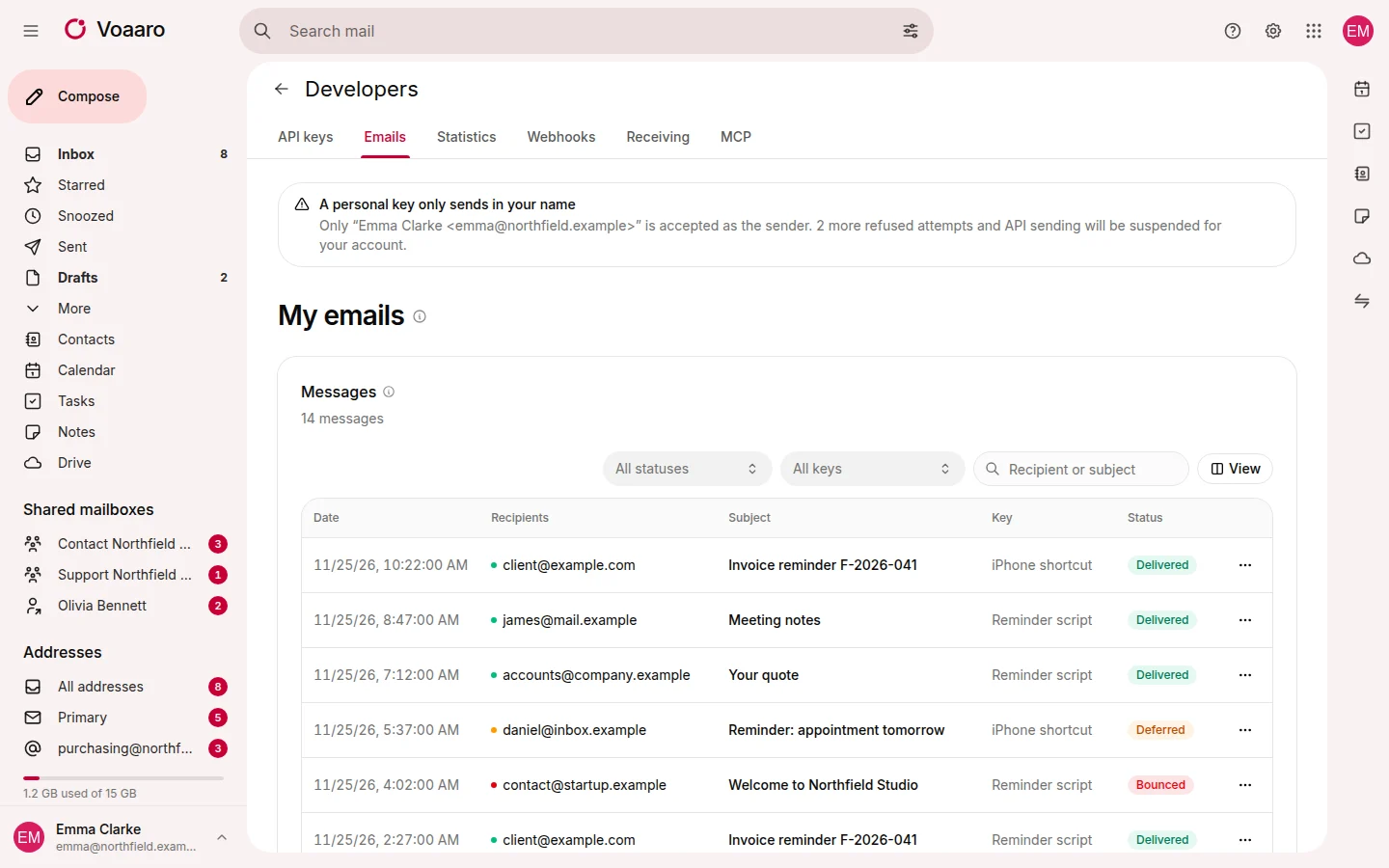
Emails lists the messages you sent through the API (recipient, subject, key, status: delivered, deferred, bounced…), with filters and the details of each send (events, bounces). Statistics charts sends, deliveries, opens and clicks over the chosen period.
Webhooks
One receiving URL per key, notified for each chosen event (delivered, bounced, complaint, opened…), signed with the Voaaro-Signature header. See Webhooks and Verify the signature.
Receiving
Per key: read the emails you receive through the API, get an email.received webhook on each arrival, with or without spam. See Receiving emails.
MCP
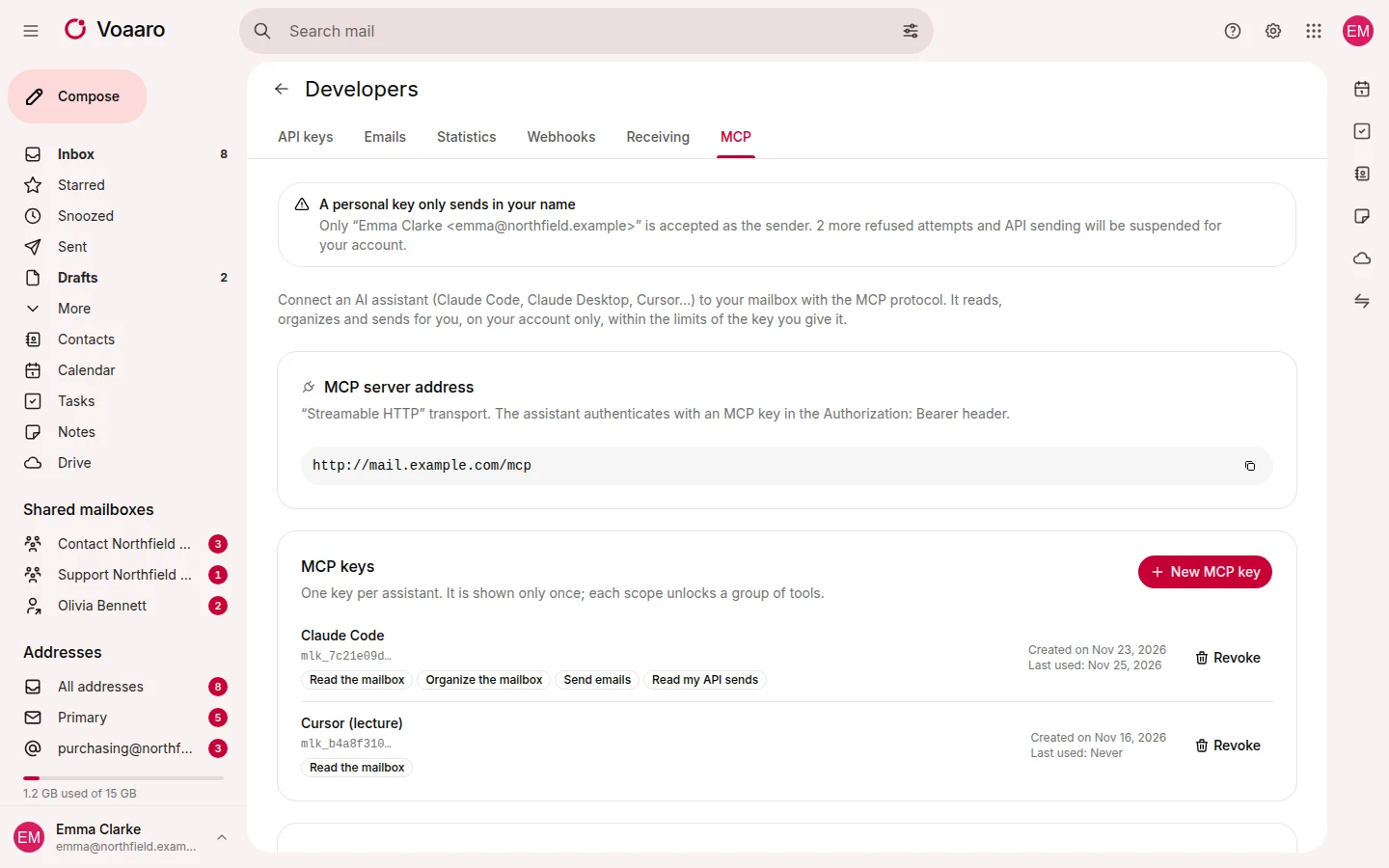
MCP keys and the MCP server address (https://mail.example.com/mcp): an assistant (Claude, Cursor…) reads, files and drafts for you, within the key's limits (read, organise, send…). Each key only opens the tool groups ticked; Revoke cuts it off. Claude.ai can also connect through OAuth, without a key. See The MCP server and Connect Claude and other clients.